Features
Everything Payro does today
Payro covers the monthly pay run from start to finish, with Singapore's contributions worked out for you.
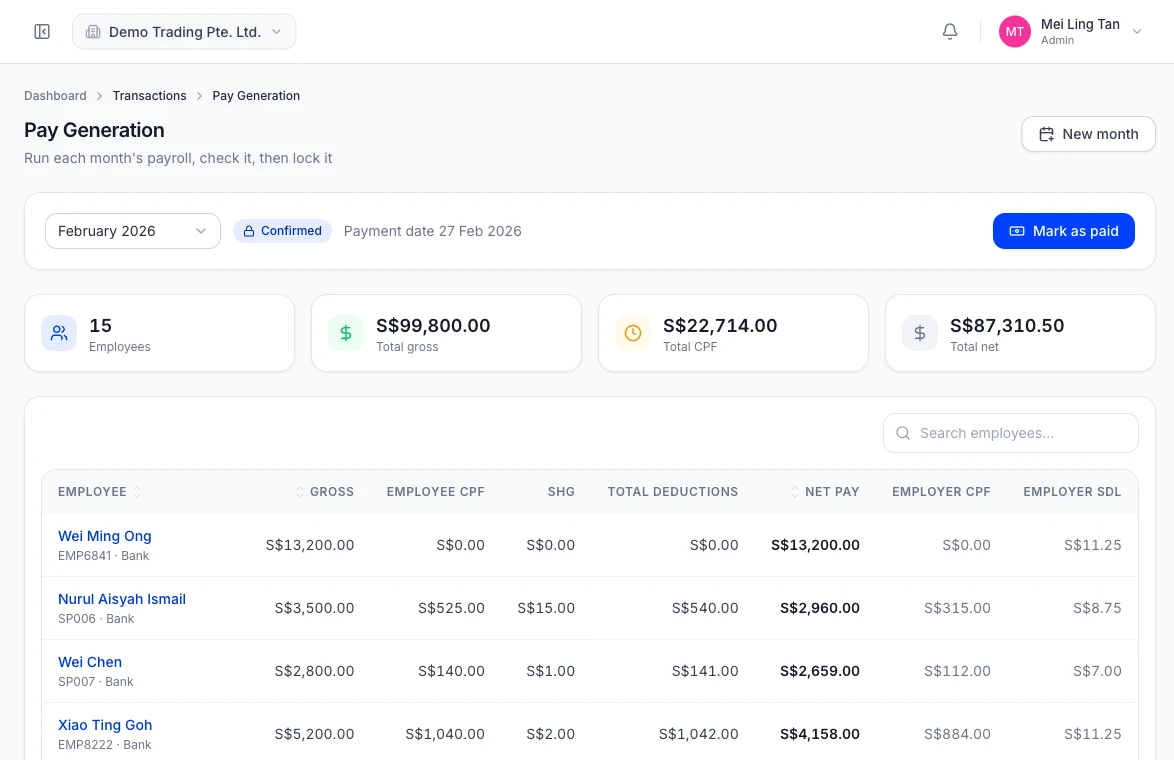
Payroll in one run
Generate the whole company's payroll for the month, review it, then confirm.
- Generate pay for every employee in one go
- Check each payslip before you confirm the month
- Confirming locks the month so figures cannot change by accident
CPF, SDL and SHG worked out
Employer and employee CPF, the Skills Development Levy and self-help group funds on every payslip.
- CPF rates in force from 1 January 2026, by age band, for citizens and permanent residents
- S$8,000 monthly Ordinary Wage ceiling and the yearly Additional Wage ceiling applied
- SDL for every employee, plus CDAC, ECF, MBMF or SINDA
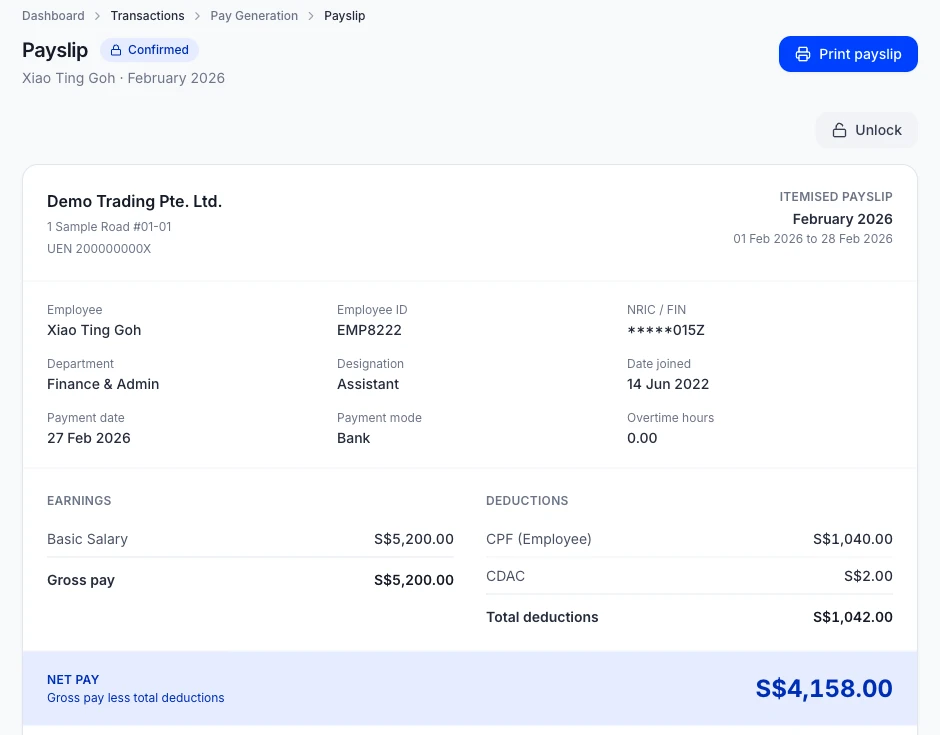
Itemised payslips
Every earning and deduction on its own line, and employees can see their own payslips online.
- Each earning, deduction and contribution shown on its own line
- Employees sign in to view their own payslips
Loans repaid from pay
Set up an employee loan once and Payro takes each instalment off their pay.
- Set the loan amount, monthly deduction and start date
- Instalments come off pay automatically
- A loan statement shows every repayment and the balance left
Bonuses and one-off pay
Add a bonus, allowance or deduction for one month without touching the employee's salary.
- One-off earnings and deductions for a single month
- Your own earning and deduction types
Overtime at the MOM rate
Overtime hours are paid at MOM's hourly basic rate, at least one and a half times.
- Enter each employee's overtime hours for the month
- Hourly basic rate worked out as 12 × monthly basic ÷ (52 × 44)
- Paid at 1.5 times the hourly basic rate or more
Several companies, one login
Run payroll for more than one company and give your staff exactly the access they need.
- Switch between companies from the header
- Invite staff and give each a role that controls what they can see and do
Set up your way
Departments, designations, public holidays and pay types that match how your company works.
- Departments and designations
- Public holidays for your calendar
Run your next payroll on Payro.
Sign up in minutes, or talk to us about guided setup.